AI Czar
Your team's internal skill marketplace. Drop AI skills your teammates built into your Codex / Claude Code — and get real work done.
Install what you need — resume screening, daily reports, QC follow-ups, product suggestions, automating your workflow… ready-made skills you trigger with one sentence. Nothing fits? The platform walks you through building your own.
Step 1 · Install the marketplace
Open Codex (or Claude Code), copy the line below, paste it into the chat and send — not a Terminal window. It detects your OS and installs the whole skill marketplace. The first time, log in once with your team account (a browser opens automatically).
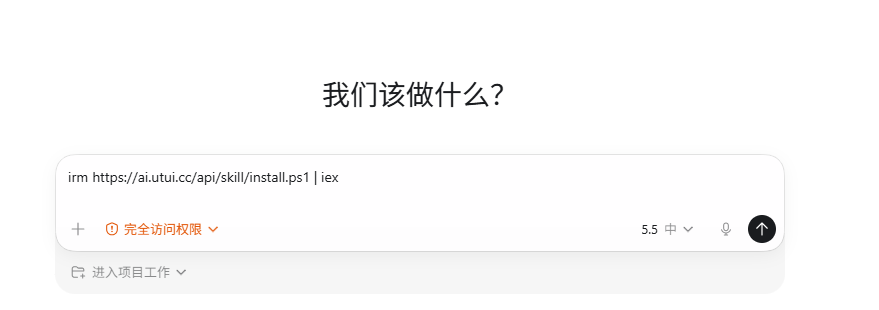
Install and update the czar skill marketplace for me: if I'm on macOS or Linux, run curl -fsSL https://ai.utui.cc/api/skill/install.sh | bash ; if Windows PowerShell, run irm https://ai.utui.cc/api/skill/install.ps1 | iex . Then follow its prompt to log in once via the browser.
**Install and update are the same line** — to upgrade, just send it again.
Step 2 · Install & summon it
- What skills are there? / /list-agents → browse
- Install <name> / /install-agent <name> → install
Then say a wake word (czar) and tell it what you want — it runs. Each skill's page shows how. For example:
- czar, open my internal mailbox → Internal Browser Assistant
Use Codex's attach button or drag a file in — don't Ctrl+V (pasted images can't be uploaded). Skills read images far faster than text.
Step 3 (optional) · Build your own skill
Nothing fits? Tell Codex "I have a task I'd like AI to help with" — it shapes the work into a plan, generates a starter kit, and walks you through building it. Then /submit-agent to publish it for the team.
Featured skills
QC / 检查人 / Captain 自查:给我一个 YouTrack 待办编号(单个,TL-261 / WM-12 / MPU-123 之类),我先检查 State 字段,只有 Todo 才继续按 TL-A-1 最新正文 + 11 条 quality 标准逐条检查该 issue 最后一条未删除评论,并搜索 workingmanual 手册判断文案是否冲突。Closed / Solved / Sloved 会提示已完成或关闭,需改回 Todo 才检查。
/install-agent ccs-to-do-checker只需要发送一张产品截图或一段录屏,该 Skill 就可以自动识别产品中的问题,并输出值得修改的优化建议。也支持原型、PRD、线上页面和流程描述,并用 Product Issue Auditor 二次审核过滤低价值建议。
/install-agent auto-detect-product-issues只需要发送产品截图,并说明对应的项目和平台,例如 SeniorMatch iOS,同时清楚描述需要如何修改。该 Skill 会自动生成符合规范的 YT 修改格式,根据修改后的方案制作 Mockup,并自动在 YT 系统中创建对应的 YT。
/install-agent find-issues-create-yt-pipeline用一个独立的 Chrome 用户数据目录(独立 cookies / SSO / 登录态,叫 InternalChrome)替 AI agent 打开团队内部系统(邮件、yt、建议、reflect.today 日报 等),登录一次长期复用,不污染你日常用的 Chrome。Windows + macOS 自动适配,沙皇改了之后 /update-agents 一键升级,不用每个同事各自改本地代码。
/install-agent internal-browser只需要发送一张产品截图或一段录屏,并附上你发现的产品问题;该 Skill 会严格审核证据、用户感知、指标影响、ROI、重复性和产品定位,判断哪些问题真正值得 Comment 或创建 YouTrack/YT。
/install-agent product-problem-challenger支持同事在 Codex 中讨论、质疑、完善产品改进方案;提出想法时先从产品、设计、研发、数据、运营等职能领导视角给出反对意见,最终预览前参考同类 Suggestion 的通过/拒绝意见进行校准,方案达到质量门槛并得到明确确认后,使用内部浏览器提交到 Suggestion 审批系统。
/install-agent product-suggestion-approvalInstall in Codex: paste the command on each card. See all in the marketplace →
Install once, always up to date
Core skills stay current automatically — like system updates, you do nothing. For third-party skills, you're prompted to upgrade when you use one that has a new version. Renames follow automatically too — no reinstall.
Tips
- · The install line sets up the core skills together (marketplace manager, requirements, skill-builder) — no separate install needed.
- · Built your own? Tell the Hub
/submit-agentto publish. First release needs approval; later updates from the same author go live instantly. - · Not sure what a skill does?
/list-agentsshows a one-line description and usage heat for each. - · Upgrading: re-run the install line, or tell the Hub
/update-agents.